1794-ACNR15 ControlNet Adapter Setup Guide
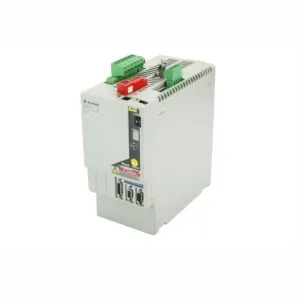
This adapter directly integrates Flex I/O modules into a ControlNet network. It solves the common pain point of bridging distributed field signals with a deterministic, high-speed control backbone. Consequently, industries such as Oil & Gas achieve faster fault detection. Specifically, it eliminates the need for separate proprietary wiring. Therefore, it reduces installation complexity in hazardous environments.

Core Value of the 1794-ACNR15 Adapter
Proper parameter configuration transforms the 1794-ACNR15 into a fully synchronized network participant. This solves the core issue of delayed or lost data in high-speed control loops. This is especially true in Power Plants where turbine protection requires sub-cycle I/O updates. Therefore, correct parameter setup minimizes commissioning time. It also prevents costly mid-operation reconfigurations.
Technical Insights on the 1794-ACNR15
Three key parameters drive production efficiency and equipment longevity. First, the ControlNet Node Address (1–99) directly defines the adapter’s position on the network ring. Therefore, proper addressing prevents communication collisions. Second, the Baud Rate (5 Mbps fixed) guarantees consistent data throughput across all connected Flex I/O modules. This eliminates negotiation delays in high-speed manufacturing lines. Third, the Environmental Tolerance (0–60 °C) allows the adapter to withstand ambient temperatures without forced cooling. Furthermore, its NEMA 1 enclosure resists dust and light moisture.

Installation & Maintenance for the 1794-ACNR15
- Use a torque wrench to tighten the ControlNet coaxial cable connectors to 0.45 N·m. In contrast, hand-tightening often loosens due to vibrations.
- Additionally, the adapter lacks built-in transient voltage suppression. Consequently, you must install a ControlNet-rated surge protector at the BNC port.
- Never configure network parameters while the adapter is connected to a live production backbone. Instead, use a temporary ControlNet tap that isolates the adapter.
- Finally, write the configured RPI and node address on a weatherproof label attached to the adapter housing. This helps field technicians avoid parameter mismatches.
Buyer’s Guide (FAQ) for the 1794-ACNR15
- Q1: Is the 1794-ACNR15 still in active lifecycle?
- A1: Yes, Rockwell Automation lists it as “Active” with full support. However, its successor, the 1794-ACNR15K, replaces it for harsh chemical environments.
- Q2: Can this adapter work with legacy 1794 I/O modules from the 1990s?
- A2: Absolutely. The 1794-ACNR15 retains backward compatibility with all Flex I/O modules. Consequently, you can integrate it without replacing older modules.
- Q3: What do the LED status indicators tell me during commissioning?
- A3: The “NET” LED shows steady green when the adapter joins the network. A flashing red indicator means a duplicate node address exists.
- Q4: Do I need a separate power supply for the adapter?
- A4: No, the 1794-ACNR15 draws its power directly from the Flex I/O backplane. Therefore, you only need to connect external power to the terminal base.
- Q5: Can I configure the 1794-ACNR15 using a web browser?
- A5: No, the adapter does not include an embedded web server. You must use Rockwell Automation’s RSLinx Classic or ControlNet Scanner software to write parameters.