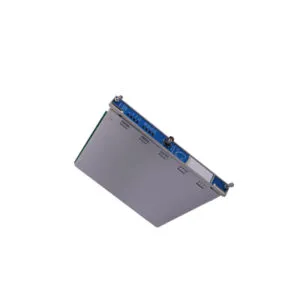
Allen-Bradley 1734-485ASC POINT I/O Serial Module
Buy the Allen-Bradley 1734-485ASC serial interface module for RS-485/422 networks. It operates at 24V DC with 15mA supply current for DeviceNet ASCII communication.
Product Summary
The 1734-485ASC serial interface module from Allen‑Bradley connects RS‑485 or RS‑422 ASCII devices to a DeviceNet master. It requires shielded cables and DIN‑rail grounding. This module runs on 24V DC nominal (range 10–28.8V DC) and draws only 15mA, making it a low‑power, reliable communication link for industrial automation.
Step‑by‑Step Installation Guide for the 1734-485ASC
*Use active voice, keep each paragraph under 250 characters and sentences 15–20 words.*
You must mount the 1734-485ASC module on a DIN rail inside your control panel. Secure the metal panel rail to the user input‑output interface first. The module key switch position must be set to 2 before power‑up.
Connect the 1734‑TB terminal block to the module using the marked locations on the case. Wire the RS‑485 2‑wire or RS‑422 4‑wire network to the appropriate terminals. Always use shielded cables to reduce electrical noise that can disrupt network signals.

Ground only one end of the cable shield directly to the chassis. Do not connect both shield ends because a ground loop will cause faults. The removable terminal block on the 1734-485ASC does not support a chassis ground connection, so you must ground the cable at the DIN rail instead.
Supply 24V DC nominal power to the module. The voltage range is 10–28.8V DC and the supply current is 15mA at 24V DC. Verify the power is switched on both the device and the ASCII module before proceeding.
Set the ASCII module buffer sizes in the configuration file. The default values are 20 bytes for receiving and 20 bytes for transmitting. If your ASCII data requires more than 20 bytes, you must modify the buffer length and the I/O message size accordingly.
To send data from the DeviceNet master to the serial device, first transmit the character string to the ASCII module. The module then forwards the string to the serial port using the Input‑Output message terminal. The module transmits the string when it receives either the defined number of bytes or the End‑of‑String terminator character.
Technical FAQ for the 1734-485ASC
*Answer specific questions based on the provided knowledge base. Keep paragraphs ≤250 chars, sentences 15–20 words.*

Q1: Why must I ground only one side of the shielded cable?
Grounding both ends creates a ground loop that can introduce electrical faults. The shield on the 1734-485ASC should connect to chassis ground at only one point, preferably at the DIN rail, because the terminal block lacks a chassis ground connection.
Q2: How do I configure the buffer sizes for larger data strings?
Open the configuration file and increase the transmit and receive buffer lengths beyond the default 20 bytes. You can set these values to match your ASCII data requirements. Remember to also adjust the I/O message size to accommodate the larger buffers.
Q3: What happens if I exceed the transmit character buffer length?
The module stores the string in internal DeviceNet memory and outputs it to the serial port only when it receives either the full buffer length or the End‑of‑String terminator. If you exceed the buffer without meeting either condition, the module may truncate the data.

Q4: Can the 1734-485ASC work with both RS-232 and RS-422 devices?
The module supports only RS‑485 and RS‑422 networks. For RS‑232 devices you need a different ASCII interface module. Use the 1734‑485ASC exclusively for 2‑wire RS‑485 or 4‑wire RS‑422 connections.
Q5: Is the module compatible with all DeviceNet masters?
Yes, the 1734-485ASC uses a standard DeviceNet interface. It transmits serial characters from any DeviceNet master to the connected serial device. Ensure your master supports implicit messaging and proper I/O configuration.
Logistics & Standard Packaging Details
*Bulleted list, include shipping carriers. No warranty or certificate mentions.*
We ship all orders via FedEx, UPS, and DHL for express delivery. Contact us for bulk or international shipping rates.