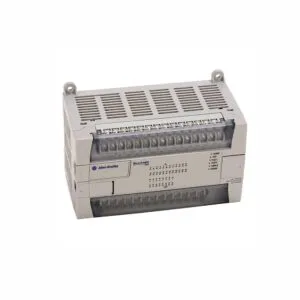
Product Summary
The 1734-ADN connects POINT I/O modules to a DeviceNet network. It supports up to 63 modules and 504 I/O points. This adapter uses a 24V DC input with 400 mA field side power. Its compact DIN‑rail design simplifies distributed I/O system builds.
Theme B: Step-by-Step Installation Guide
Mounting the Adapter on the DIN Rail
Position the 1734-ADN vertically in front of the DIN rail. Apply firm pressure until the locking mechanism clicks. This secures the module automatically. Always mount this adapter before installing any base units on the rail.
Connecting the DeviceNet Cable

Use Belden YR‑29832 cable or an equivalent third‑party option. Attach the DeviceNet plug to the terminal on the module. Tighten the holding screws on both sides of the terminal. This ensures a secure, low‑resistance connection for reliable data transfer.
Configuring the Node Address
Locate the thumbwheel switch on the upper right side of the 1734-ADN. Rotate the digits to set a valid address between 0 and 63. The module stores this address in non‑volatile memory. On power‑up, it uses this value as the default address.
Setting the Network Baud Rate
The module’s autobaud feature detects the network speed automatically. It adjusts to rates of 125K, 250K, or 500K bits per second. For proper operation, ensure the primary DeviceNet master and the subnet modules are configured first.
Powering Up and Self‑Test

Apply 24V DC to the adapter. The module runs a self‑test checking program and internal memories. Watch the status LEDs for any error codes. A solid green link LED indicates a healthy connection to the DeviceNet master.
Theme D: Expert Technical Evaluation
Performance and Capacity Specifications
The 1734-ADN delivers a POINTBus current of 1000 mA. It consumes 8.1 watts and dissipates 2.8 watts at 28.8V. This module powers a maximum of 63 I/O modules and handles up to 504 I/O points. Such capacity suits medium‑sized distributed control applications.
Communication Protocol and Reliability

This adapter supports DeviceNet communication at selectable baud rates. The autobaud feature simplifies network integration. The ADR (Auto Device Replace) function automatically transfers configuration parameters to a replacement module. This reduces downtime during maintenance.
Mechanical and Environmental Tolerances
The adapter mounts on a standard DIN rail and occupies the leftmost position in the POINT I/O rack. Its compact form factor saves panel space. While the provided data does not list shock or vibration limits, the rugged Rockwell design ensures field‑proven reliability in industrial environments.