Product Summary
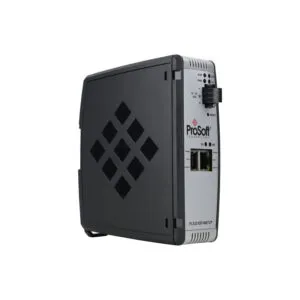
The Allen-Bradley 1734-ADNX POINT I/O DeviceNet Adapter Module serves as a crucial communication interface. It directly controls POINT I/O modules on a DeviceNet network. This adapter simultaneously acts as a master for its subnet. It also functions as a slave for the primary network master. With Auto Start Mode and Auto Catalog Replace, it simplifies system deployment and maintenance.
Theme A: Product Procurement & Buyer Guide
Selecting the Right Network Adapter
Your system needs a reliable gateway to connect I/O modules. The 1734-ADNX provides this critical link for DeviceNet networks. It manages data flow between 63 possible nodes. Procurement teams should verify their control system uses DeviceNet. This module integrates seamlessly into existing Rockwell Automation architectures.
Key Technical Specifications for Engineers

This adapter requires a 24 Volts DC input power supply. It uses a field side power of 400 milliamps. The module draws a POINTBus current of 1000 milliamps. Its total power consumption equals 8.1 Watts. The device dissipates just 2.8 Watts of heat at 28.8 Volts. These specs ensure efficient operation within a control panel.
Understanding Installation Requirements
This adapter mounts as the first module on the left side. You must use a SELV or PELV power supply for CE compliance. The catalog number 1734-ADNX must match your system's communication protocol. Always verify the 6 amp inrush current does not exceed your power supply capacity. This ensures a stable startup sequence.
The Value of Automated Features
The Auto Catalog Replace feature reduces downtime significantly. It corrects errors when you remove identical backplane modules. You can place a module back in the wrong location without issues. The Auto Start Mode enables quick commissioning without complex configurations. These features lower total cost of ownership for maintenance teams.

Theme C: Maintenance, Troubleshooting & Longevity Protocols
Interpreting On-Board Status Indicators
This adapter features five diagnostic LEDs for quick troubleshooting. Three red/green status LEDs show network and module health. Two green LEDs monitor the power supply status independently. A solid green light indicates normal operating conditions. A flashing red signal points to a recoverable fault.
Implementing a Preventive Maintenance Routine
Inspect the module connectors every six months for corrosion. Verify the 24V DC supply remains within tolerance bands. Check that the POINTBus current stays below 1000 milliamps. Clean the module housing with a dry, low-pressure air stream. This routine prevents intermittent communication failures.

Managing Module Replacement Procedures
Always power down the 24V DC system before removing the adapter. Use the Auto Catalog Replace feature after installing a new unit. This feature matches the new module to the existing configuration. It prevents errors from incorrect physical placement. This process minimizes production line downtime.
Logistics & Standard Packaging Details
Express delivery is available via FedEx, UPS, and DHL for this component.