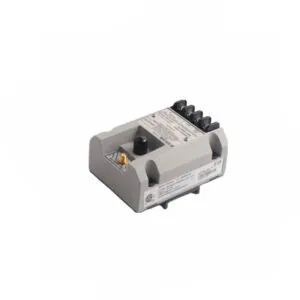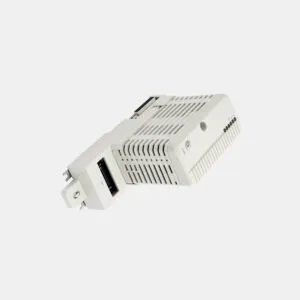
Product Summary
The 1734-AENT acts as a vital bridge between your POINT I/O system and the Ethernet/IP control network. It transmits real-time I/O data and diagnostic information to the master controller. This module supports up to 63 I/O modules for a scalable automation solution.
Installation & Setup Guide for the 1734-AENT
Installing the 1734-AENT adapter correctly ensures reliable network communication. The module mounts easily onto a standard DIN rail within your panel. It uses an open-style enclosure to fit into various cabinet layouts. This guide provides clear steps for mechanical and electrical deployment.
Mechanical Mounting Procedure

Attach the module firmly to the DIN rail before connecting any wires. The module dimensions are 30 x 2.16 x 5.25 inches. It requires a chassis size of 4 for proper installation. Ensure the rail provides a stable mechanical foundation for all modules.
Electrical Wiring and Power Connections
You must supply a 24 Volts DC power source to energize this adapter. The acceptable supply range is 10 to 28.8 Volts DC. The module has an inrush current of 6 Amps maximum during startup. It draws a maximum field side power of 400 milliamps. Adhere to the wire size of 3/64 inches insulation maximum. The module includes integral reverse polarity protection for safety.
Connecting the Ethernet Network

The communication adapter features one RJ-45 Category 5 Ethernet port. It supports transmission speeds of `10/100 Mbits/s` in half or full-duplex mode. The module uses auto-negotiation to set the correct speed automatically. You can configure the network in star or tree topology. Use either shielded or unshielded twisted-pair cable for the link.
Assigning the IP Address
You must assign an IP address to the adapter before it communicates. It uses standard BootP or DHCP tools for this configuration. The network administrator typically handles this initial setup step. This process integrates the adapter into the broader control infrastructure.
Monitoring Module Status with LEDs

The front panel includes several status indicators for system diagnostics. Three red/green LEDs show Module, Network, and POINTBus status. A green LED indicates network activity on the communication port. Two green LEDs display system power and field power status. These lights help you quickly identify operational issues.